
How to invest in alternative assets via your IRA
Carry IRAs allow you to invest in alternative assets through tax-advantaged retirement plans. This is for clients who already have an investment opportunity you want to participate in. Some examples of investments are: private companies, real estate, or shares of a sports team.
The flow can take several weeks end to end to get your account set up and the investment reviewed so please plan ahead and submit the investment early. We cannot guarantee it will be processed before any sensitive deadlines. You must have the cash in the account available before an alternative investment can be submitted for review.
*Alternative investing is only available on the Carry Pro subscription tier.
If you’re on the Carry subscription Core tier, you can upgrade your plan at any time by clicking your initials on the top right > Settings > Billing > and clicking on the 'Manage' Plan button next to Subscription.
Making your Alternative Investment:
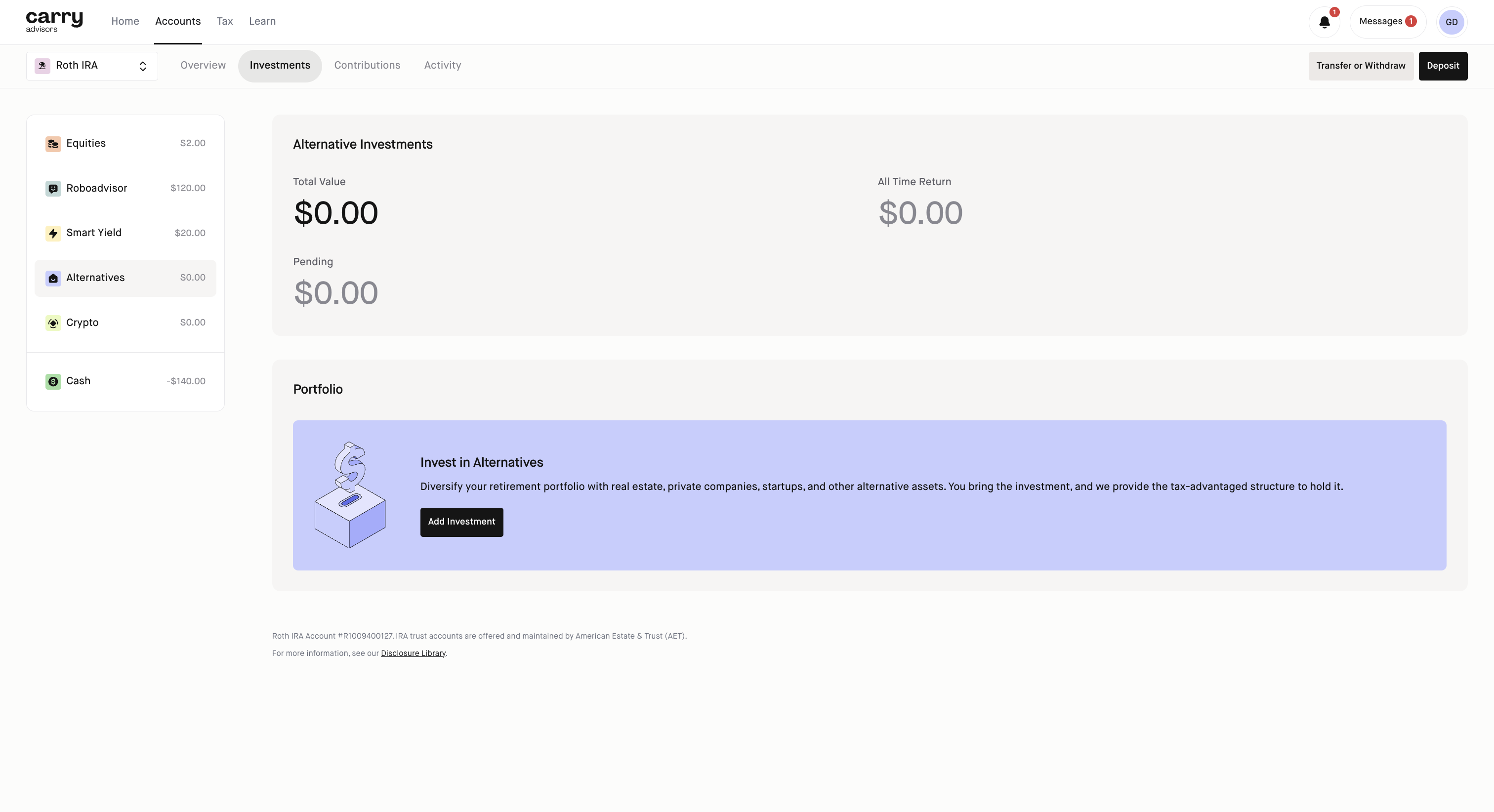
Step 1: Select your IRA account
Step 2: Click on Investments tab
Step 3: Select 'Alternatives', it it's not there click 'Add Investment' and select Alternatives and complete the flow
Step 4: Click 'Add Investment' on the bottom center of the screen
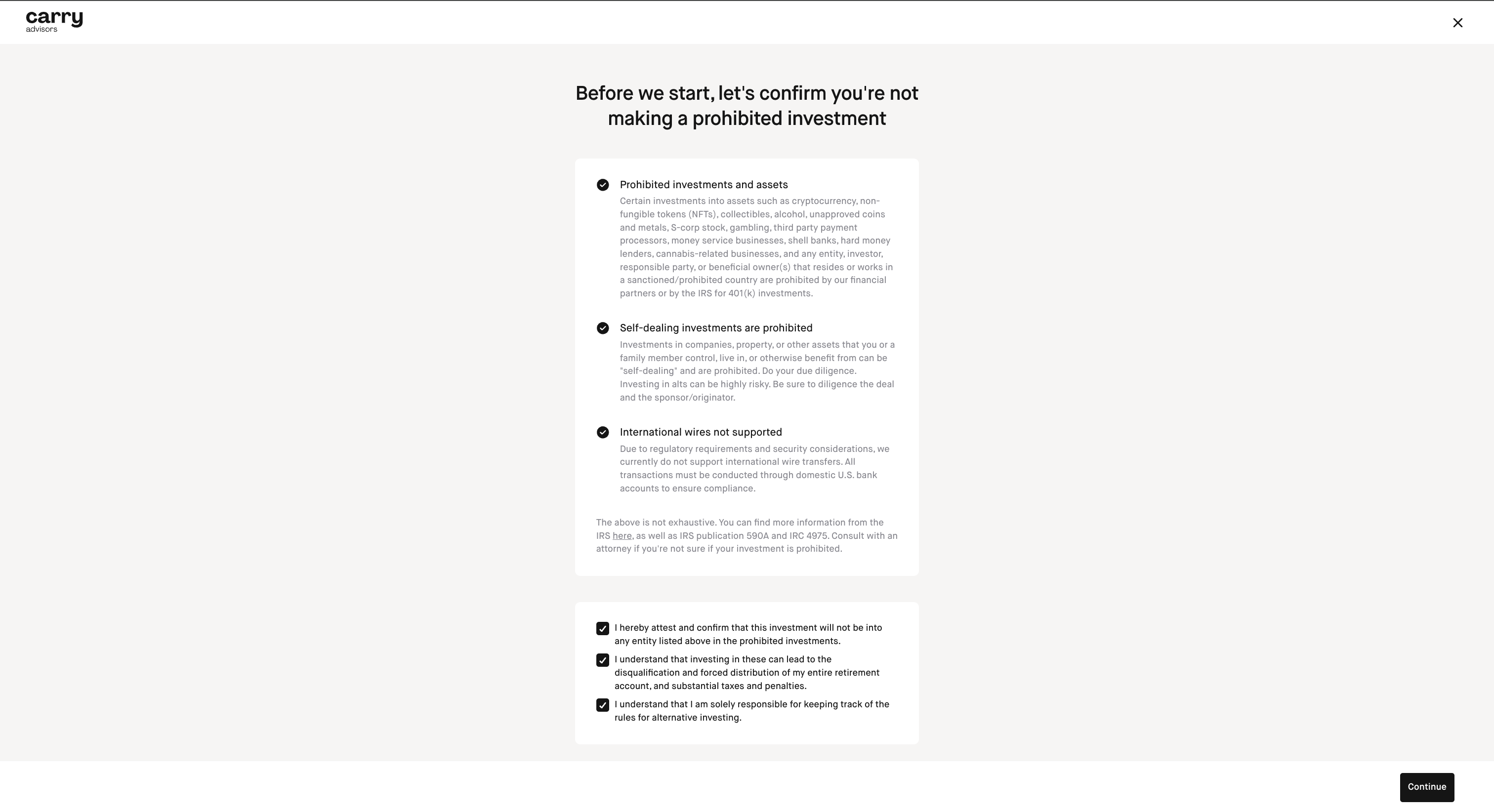
Step 5: Confirm the details on the screen and click Continue
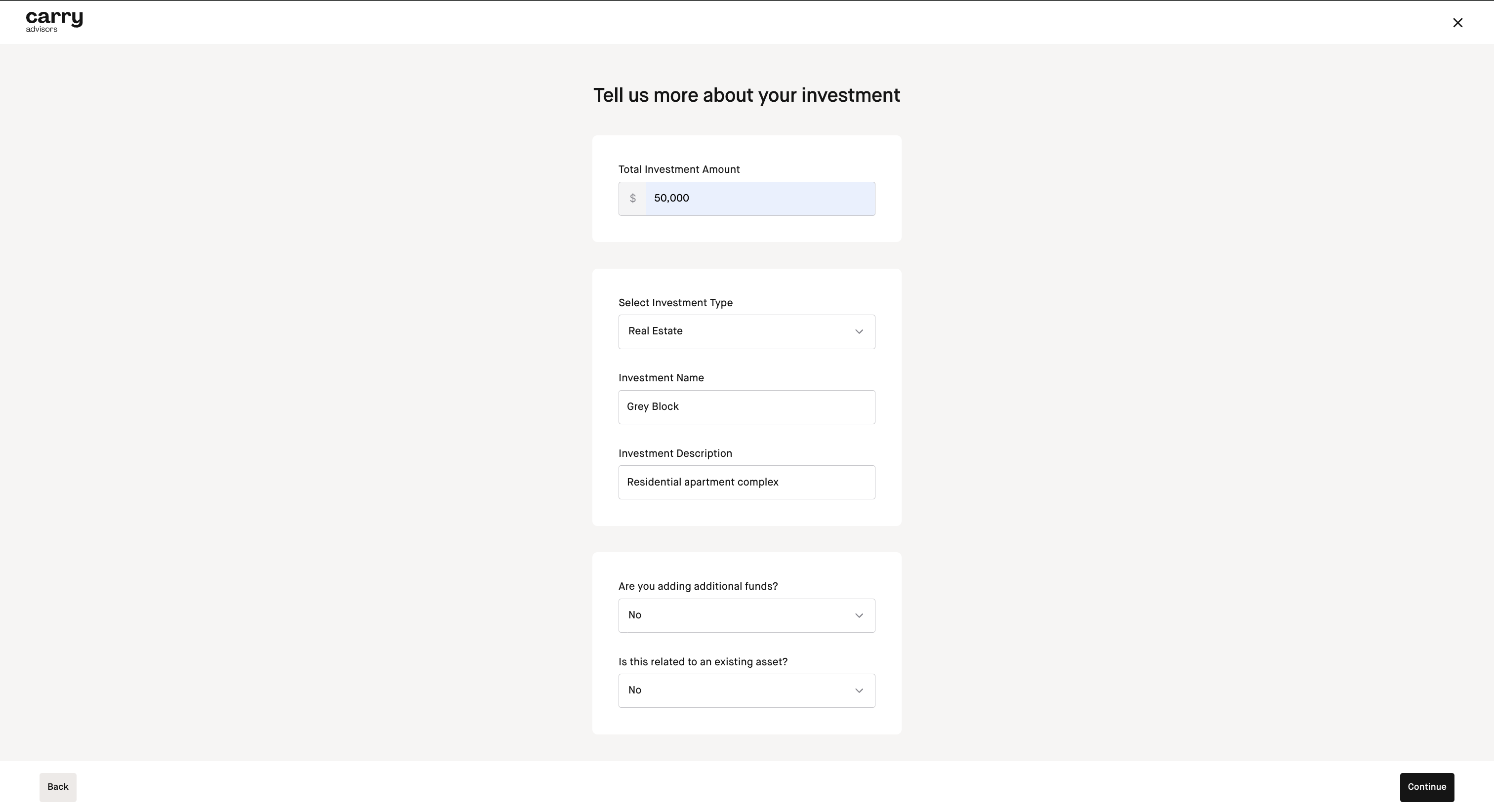
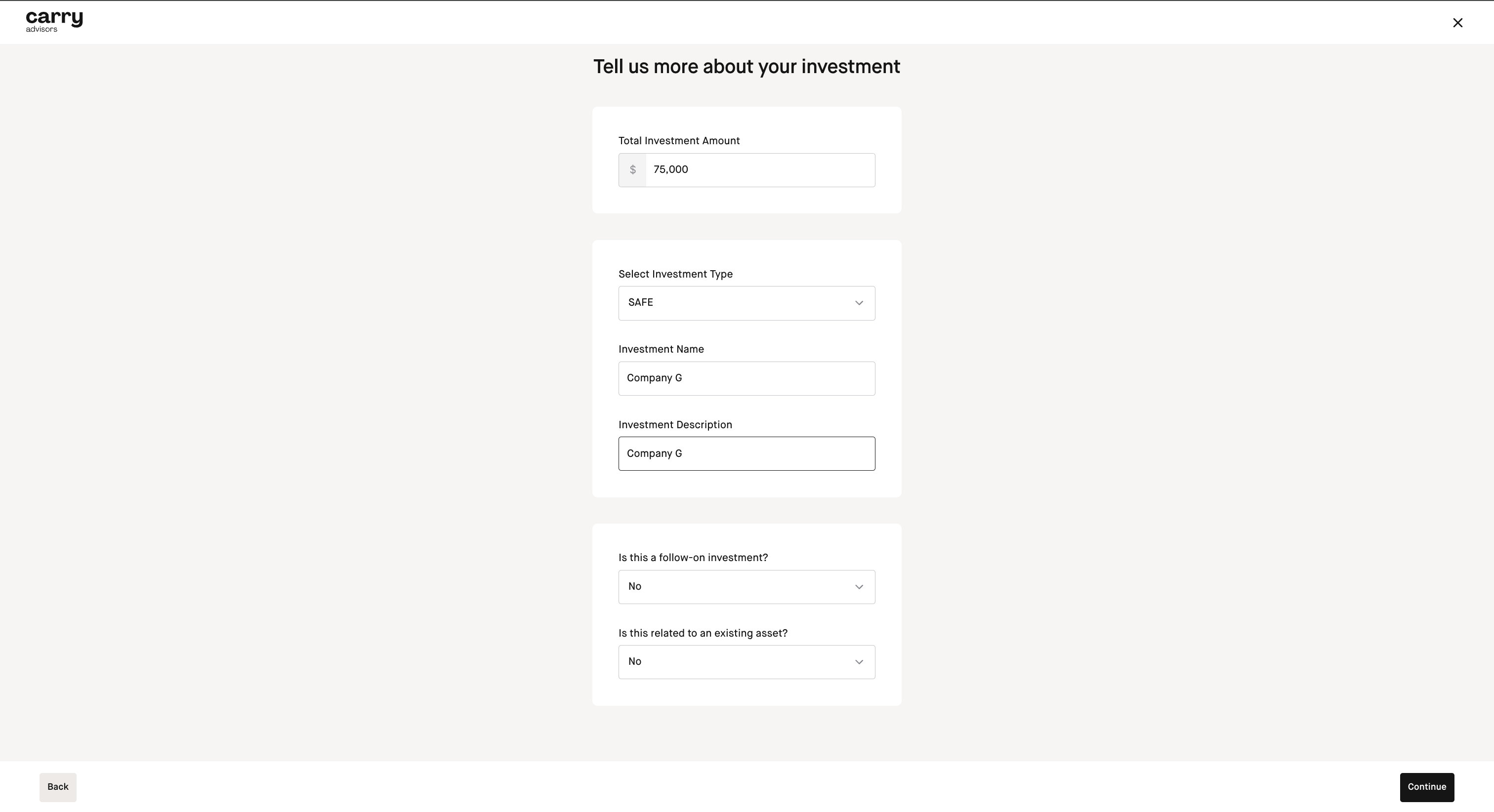
Step 6: Input the investment amount, investment type, investment name and investment description and whether you are adding additional funds or if this is related to an existing asset
Here is an example for the Real Estate Flow:
Here is an example if you are investing in a SAFE:
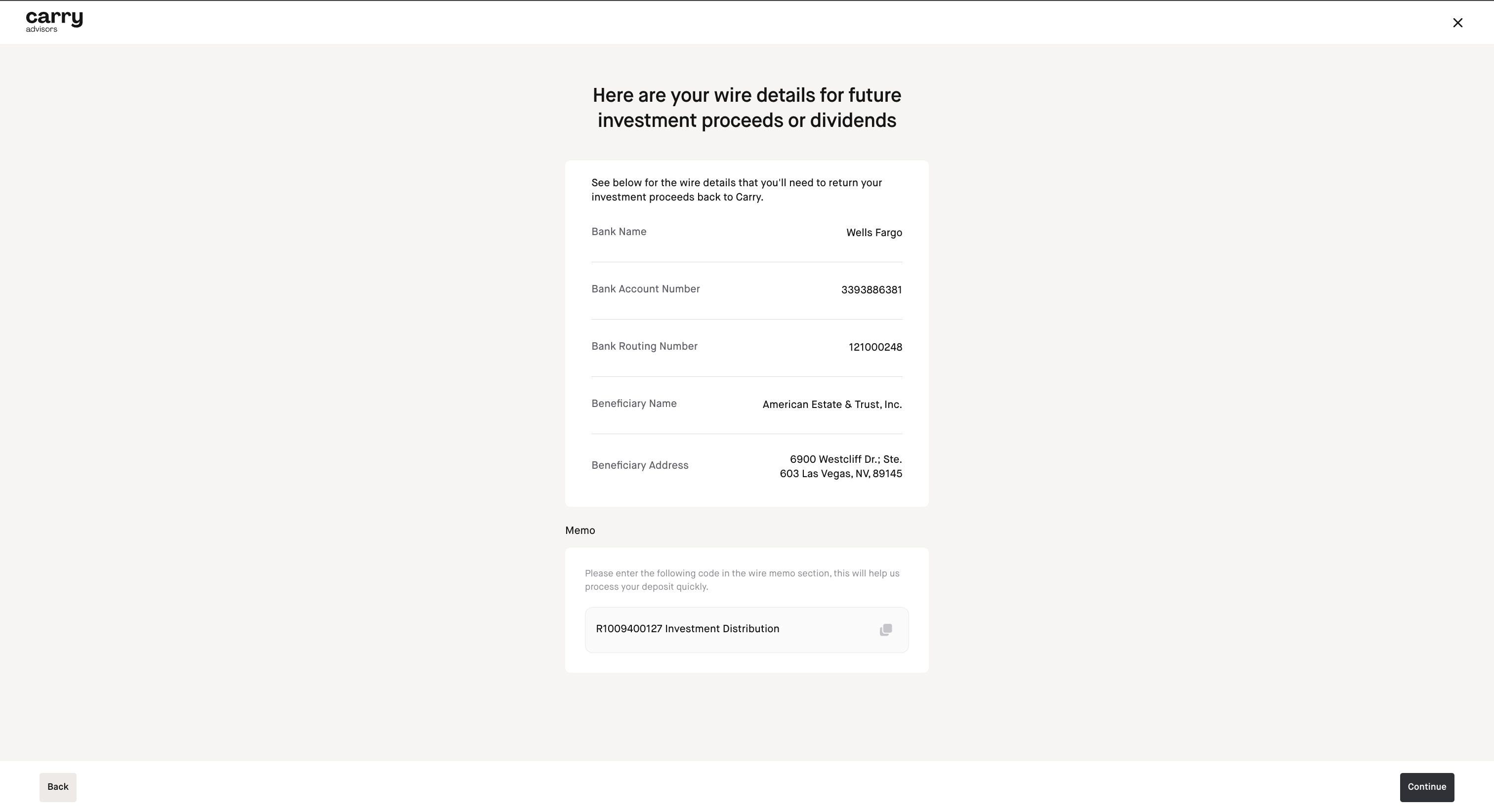
Step 7: On this next screen you will be given wire details for future investment proceeds or dividends. Keep a record of this information for your reference and click Continue
Step 8: Upload supporting documentation for the investment (this is required) and click Continue
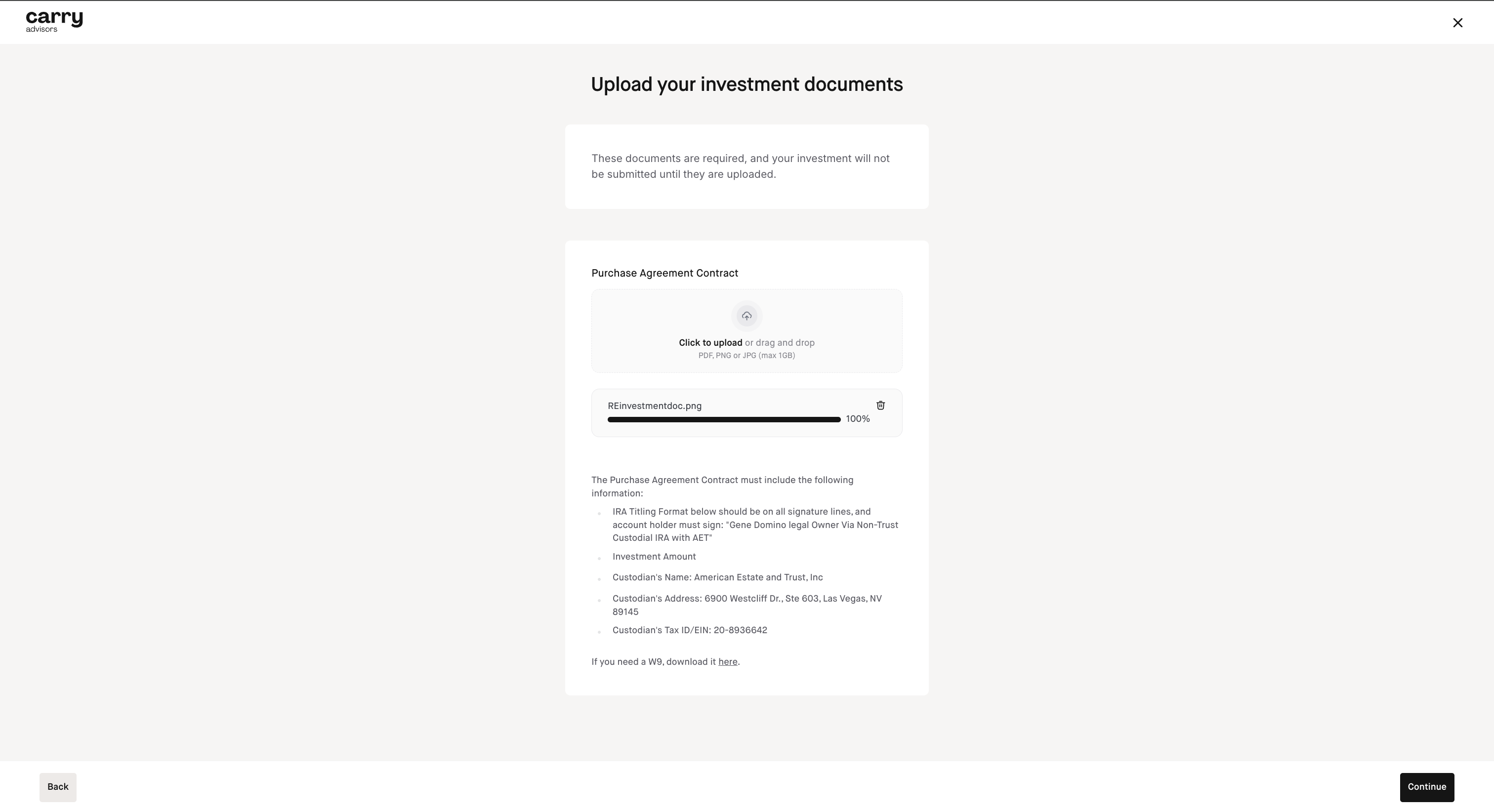
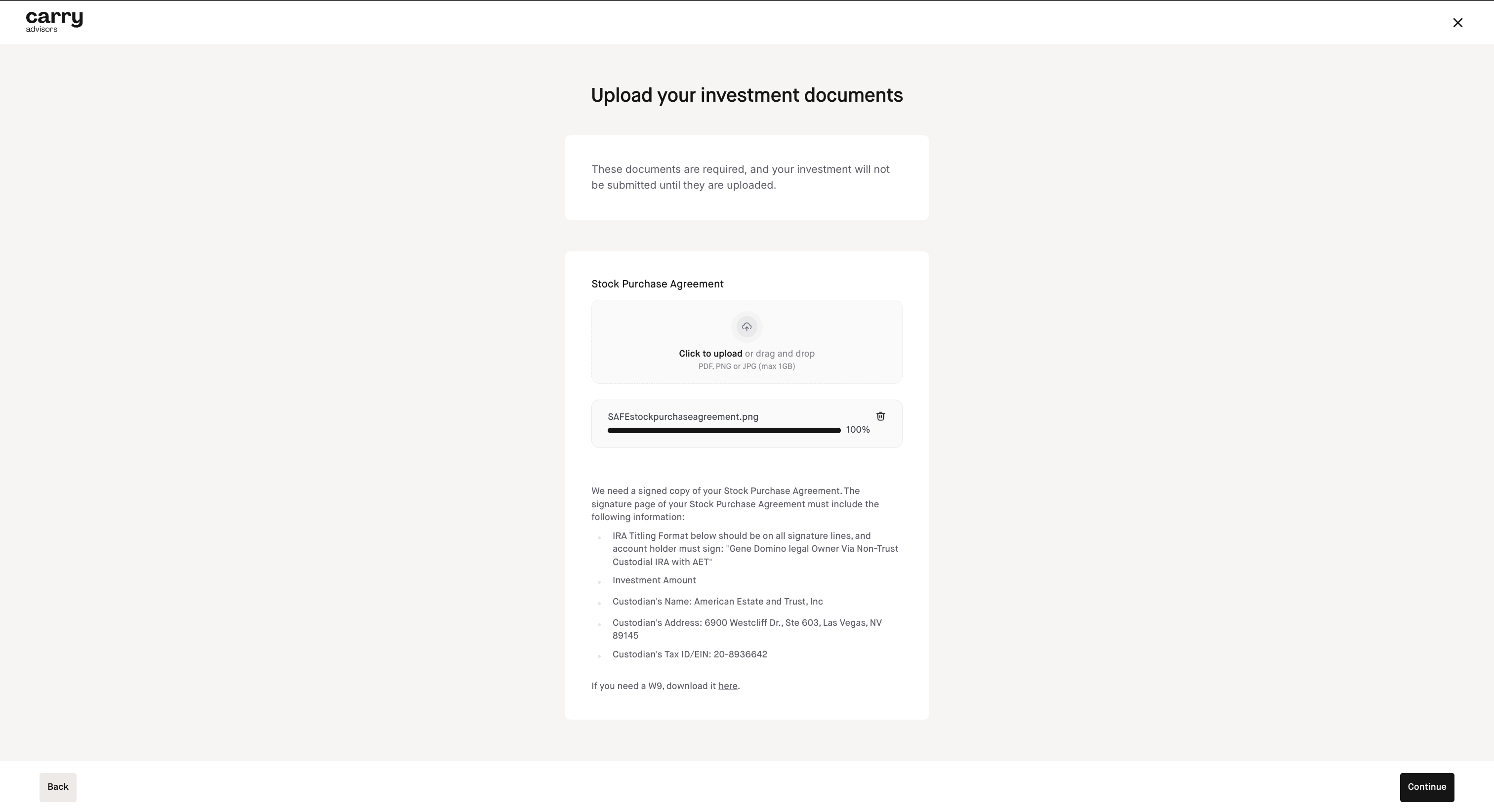
You will be able to download American Estate's W9 if needed in this step which is shown at the bottom of the screenshots below. American Estate & Trust is a C corporation.
Here is an example for a Real Estate investment where you will need to upload the Purchase Agreement Contract:
Here is an example for a SAFE investment where you will need to upload the Stock Purchase Agreement:
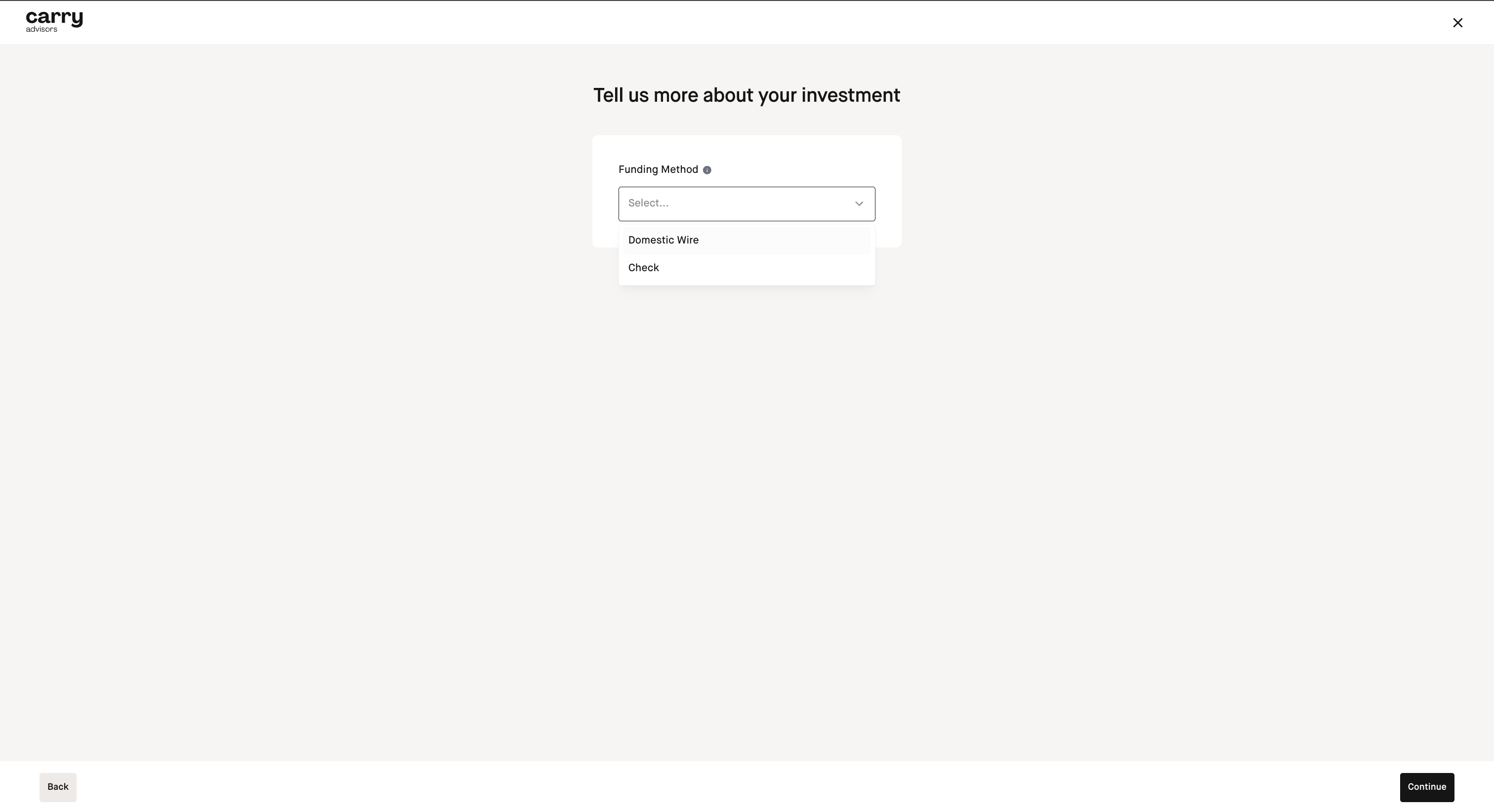
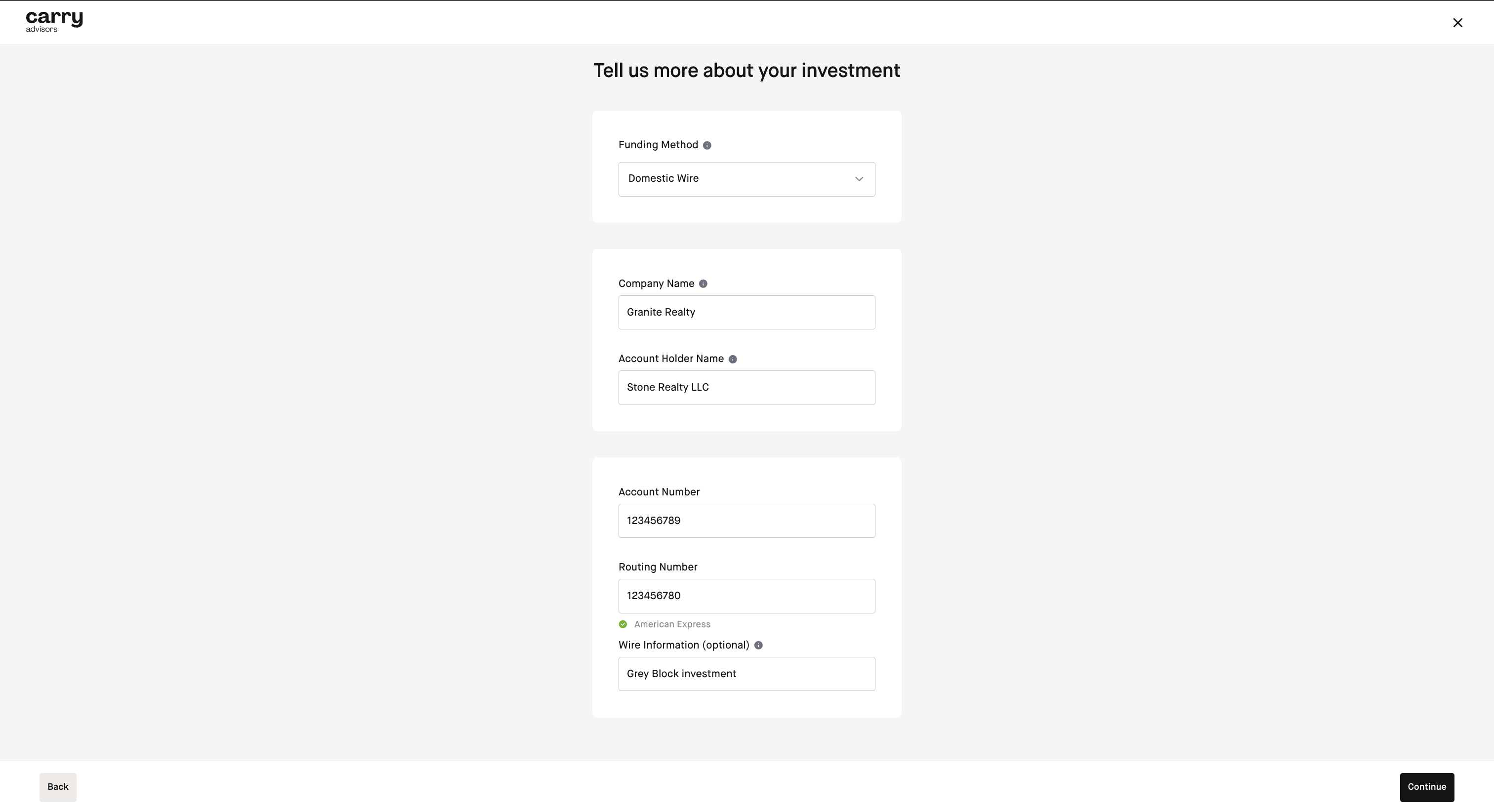
Step 9: Select Funding method of either wire or check and input the details and hit Continue
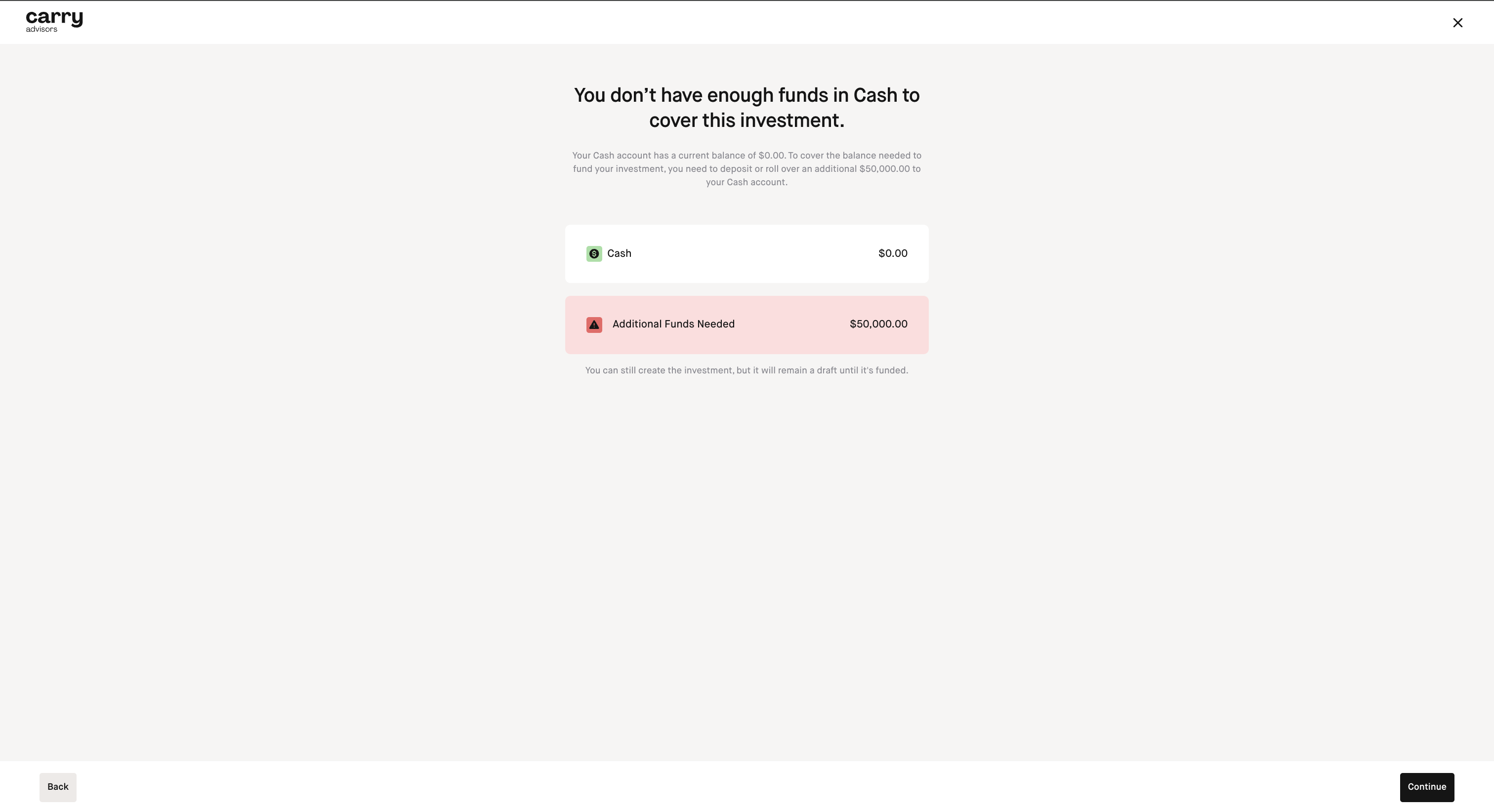
Step 10: You will see a confirmation screen of how much cash from your account ie being allocated to fund the investment (If you don't have cash in your account yet you can still proceed and the investment will be saved as a draft and can be submitted for review once cash in the account becomes available) and click 'Continue'
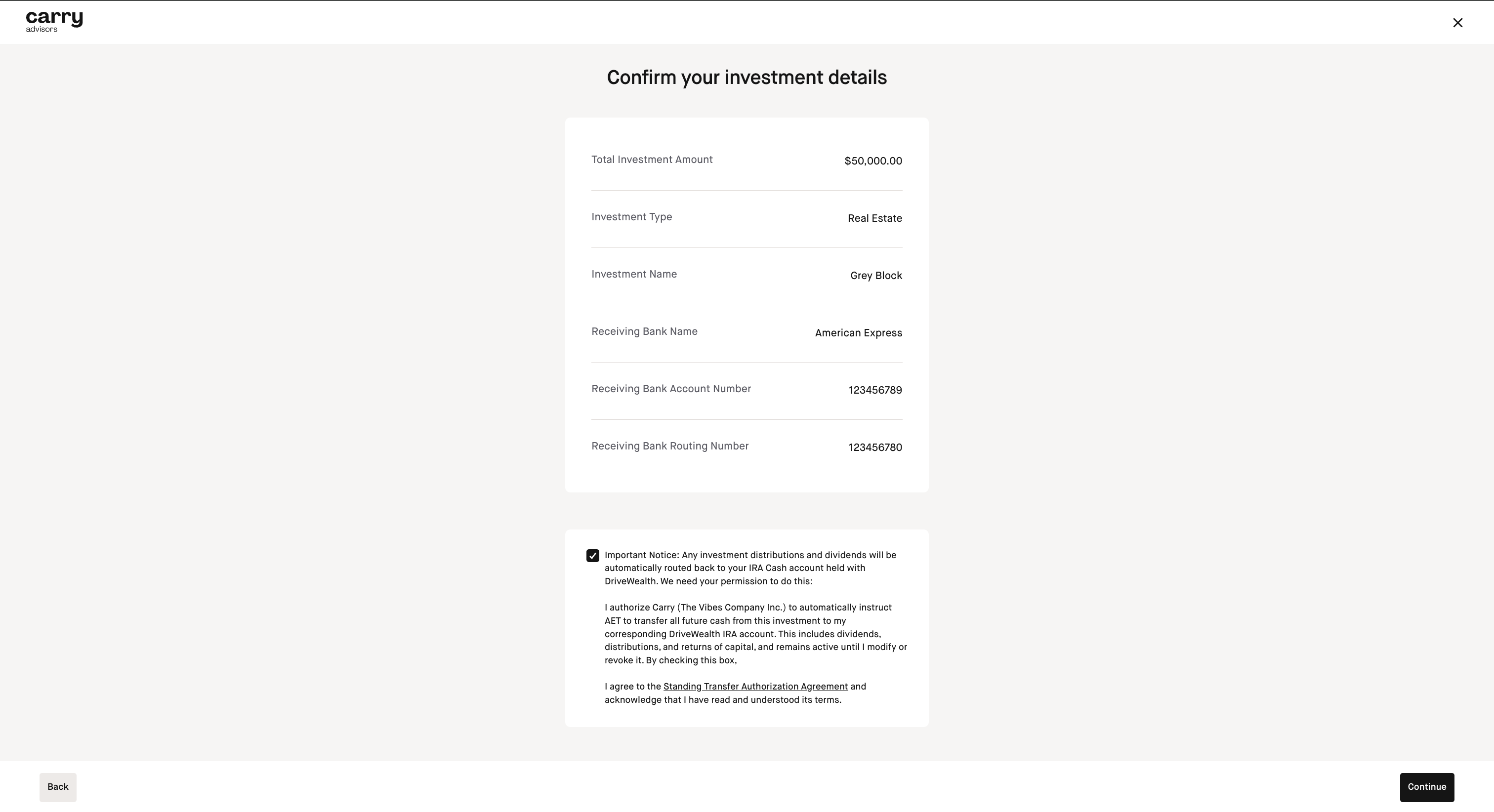
Step 11: Confirm your investment details and click Continue
Step 12: Confirmation screen will appear, click Finish

Self Dealing
Investments in companies, property, or other assets that you or a family member control, live in, or otherwise benefit from can be “self-dealing” and are prohibited. Do your due diligence. Investing in alts can be highly risky. Be sure to diligence the deal and the sponsor/originator.
The above is not exhaustive. You can find more information from the IRS See full list here, as well as IRS publication 590A and IRC 4975. Consult with an attorney if you’re not sure if your investment is prohibited.
How to submit Capital Calls or follow-on investments for alternative IRA investments you've already submitted
Step 1
Navigate to your Account
Step 2
Click on Alternatives
Step 3
Click Invest
Step 4
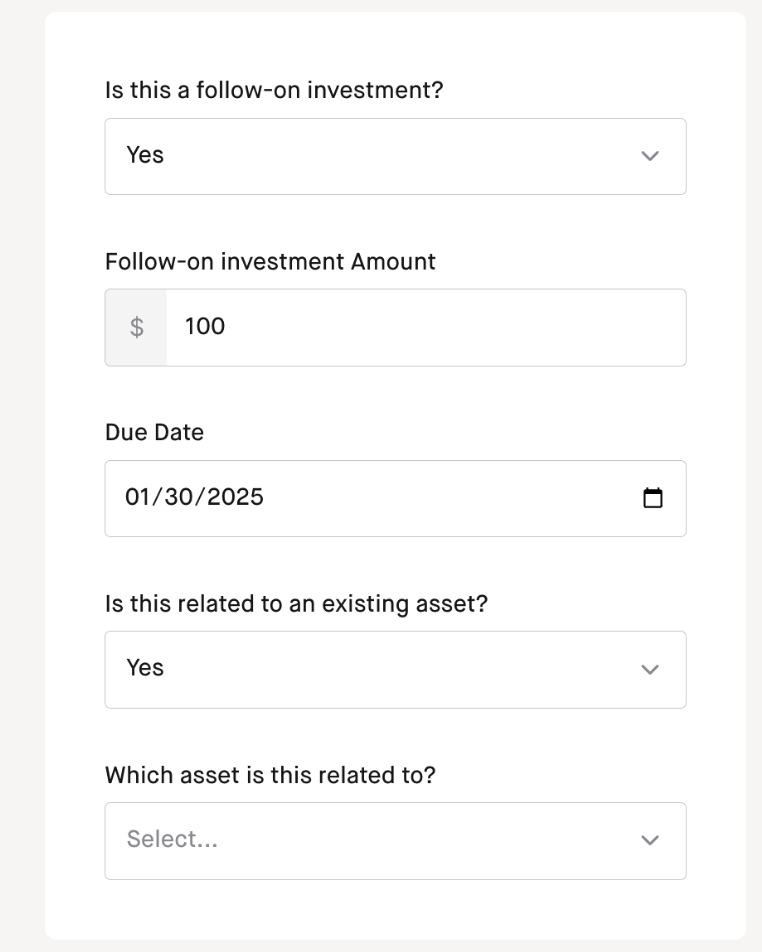
On the screen where it asks you to 'Tell us more about your investment', you'll want to answer the following questions:
1) Is this a follow-on investment
2) Is this related to an existing asset
3) Select which asset this capital call is related to
Step 5
Complete the rest of the investment flow
Please note alternative Investment reviews cannot be expedited, they are subject to review by the IRA alternatives custodian: American Estate & Trust and can take several business days so please allow ample time prior to any deadlines to submit the investment including a buffer time for any potential corrections that may be needed.
How to locate the wire details to provide to the folks who will be issuing any investment distributions for your alternative asset investment to get the funds back to American Estate & Trust (AET) for your IRA
To retrieve the wire details click the 3 dots on the right side of the submitted investment on the 'Alternatives' section of the Investments tab from the account page you invested from.
Distributions can only come back via wire. American Estate & Trust cannot accept investment distributions sent via ACH. The receiving account for the wire would be considered a brokerage account, not a checking account.