
Solo 401k Plan EIN Creation
On the Carry platform, each Solo 401k plan requires its own EIN (tax ID). This EIN is separate from your business or self-employment EIN (if you have one) and is required because the Solo 401k plan is a separate tax-responsible entity from your business.
For a new plan, an EIN will normally be obtained automatically by the Carry team on your behalf, per the plan setup flow, within 3-5 business days depending on volume. You should not obtain an EIN for your Solo 401k plan during this period, as it can result in a duplicate request and delay your plan's setup. However, in certain cases, the IRS will not be able to issue an EIN electronically.
If we are unable to obtain an EIN on your behalf, we will contact you. You can then either:
Work with the IRS (online, or by contacting them via fax, phone, or mail) to obtain an EIN for your new Solo 401k plan yourself, and provide it to Carry to update and finalize your plan setup.
Request a cancellation and full refund of your Carry membership.
Obtaining an EIN for a Solo 401k Plan
Online
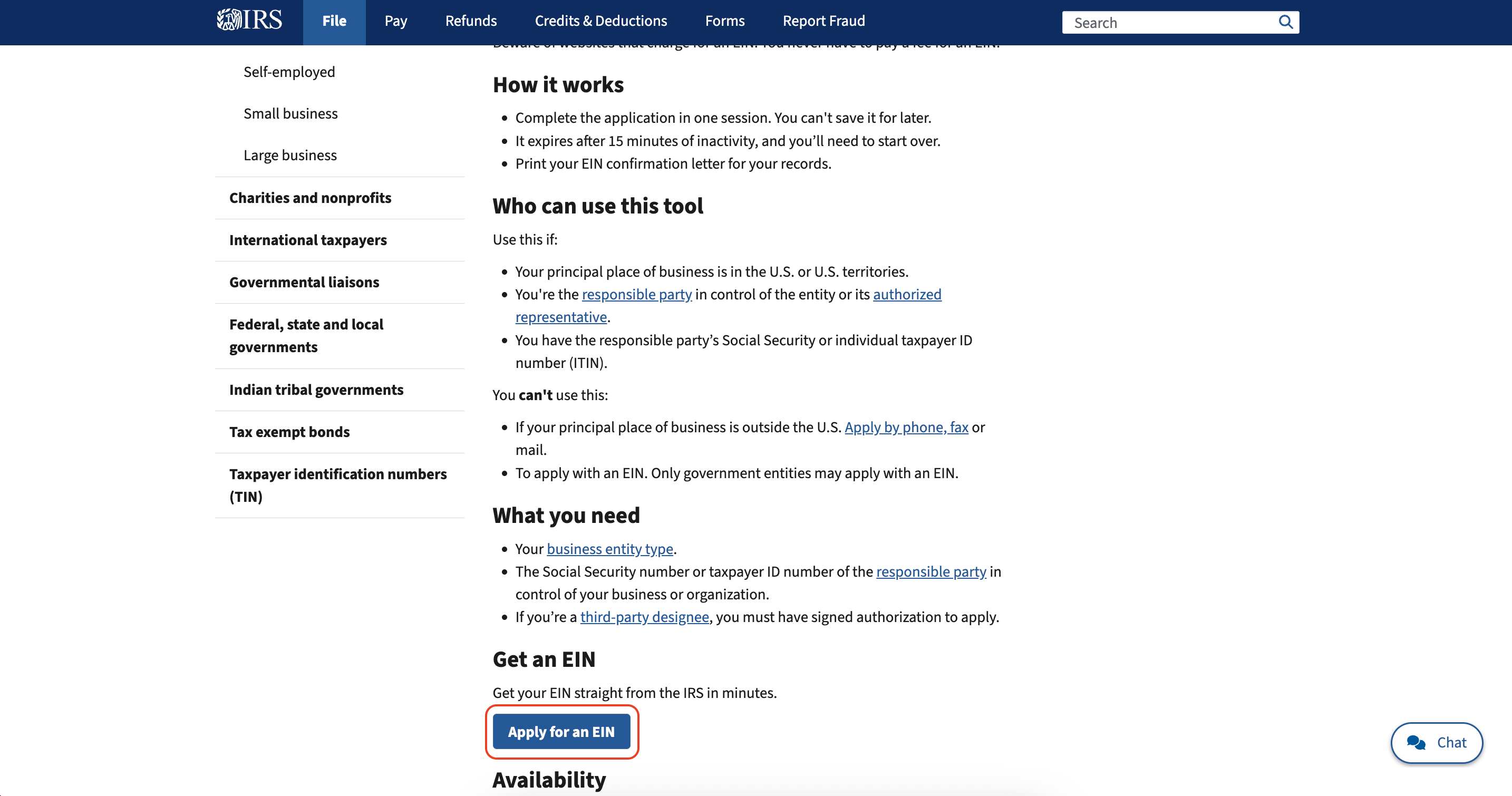
Visit https://www.irs.gov/businesses/small-businesses-self-employed/get-an-employer-identification-number to apply for an EIN electronically, and following the below steps:
Click "Apply for an EIN" under "Get an EIN" Section
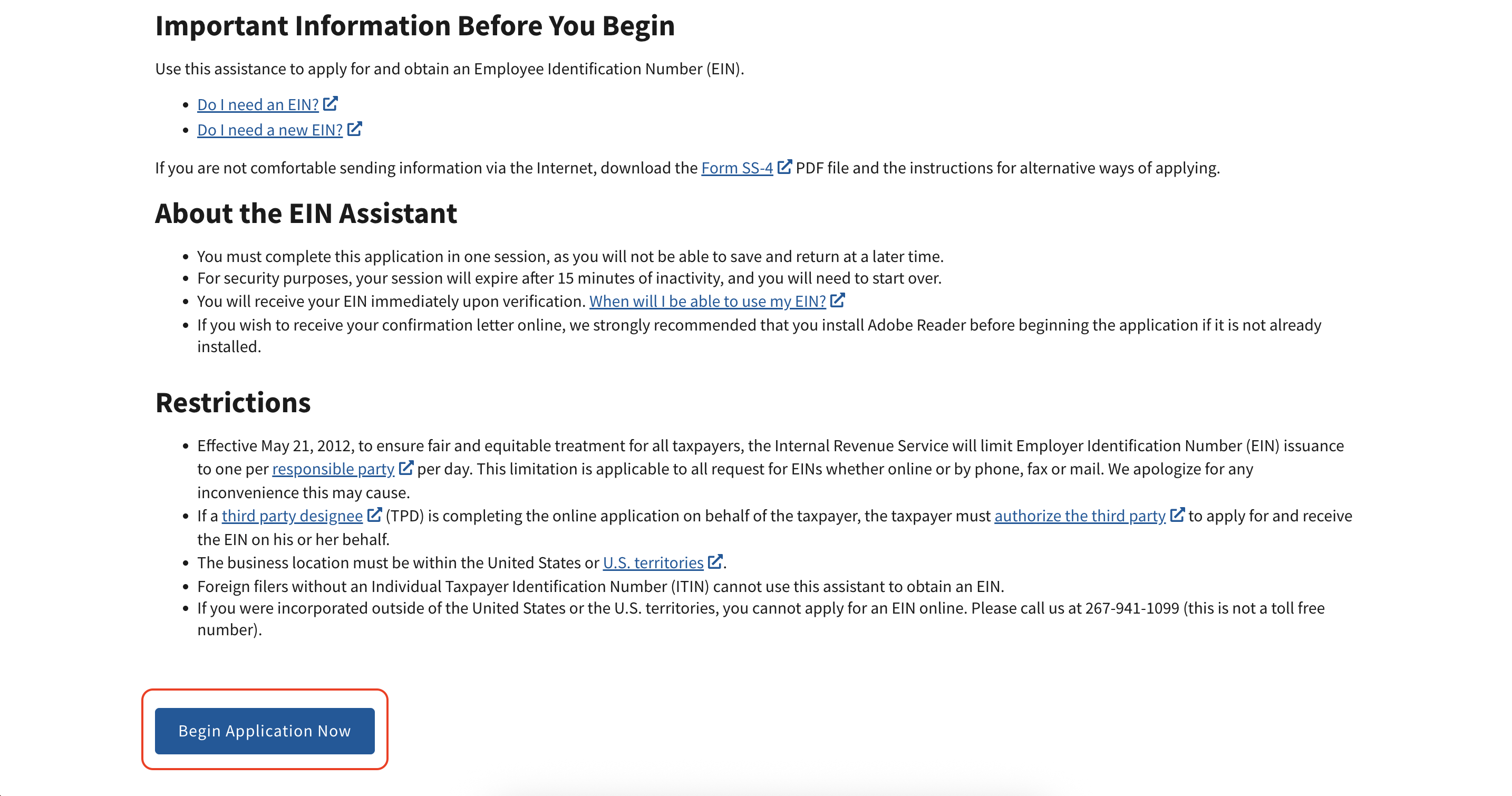
Click "Begin Application Now"
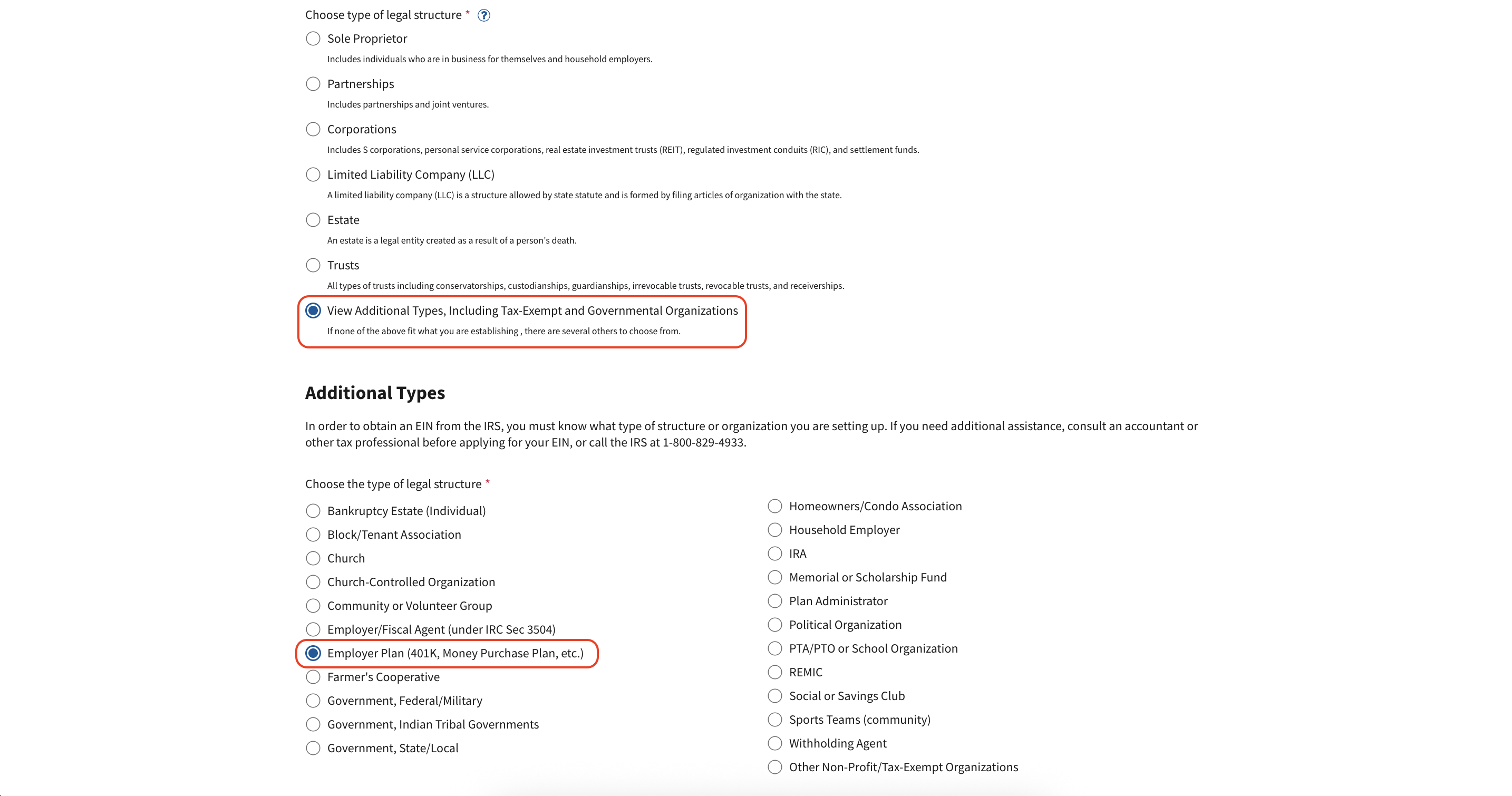
For the Legal Structure ("What type of legal structure is applying for an EIN?"), choose "View Additional Types", then choose "Employer Plan (401K, Money Purchase Plan, etc.)"
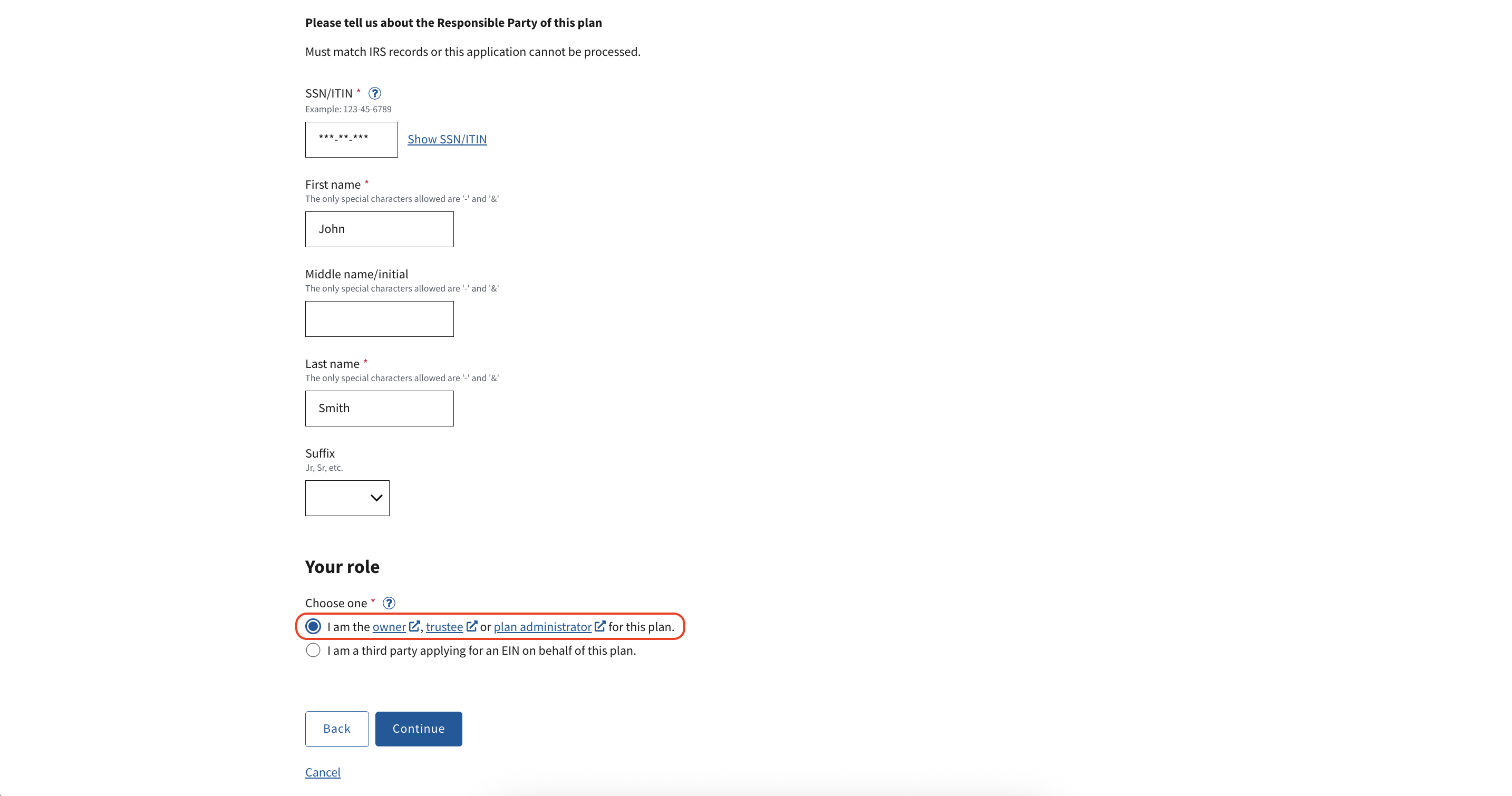
Fill out the identifying information, and choose the option "I am the owner, trustee or plan administrator for this plan." (You are the Plan Administrator for your Carry Solo 401k Plan.)
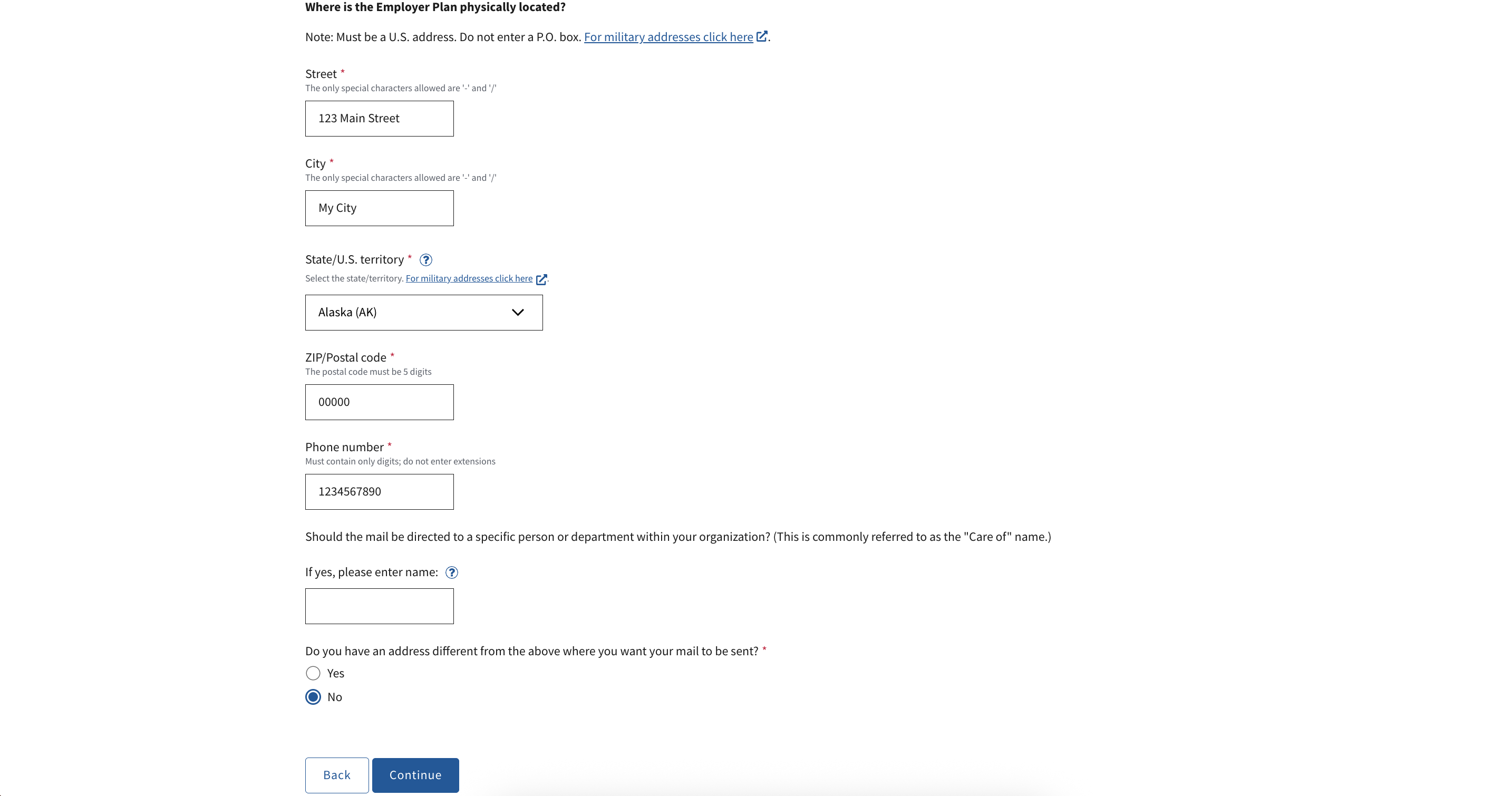
Enter your business address information for "Where is the Employer Plan physically located?"
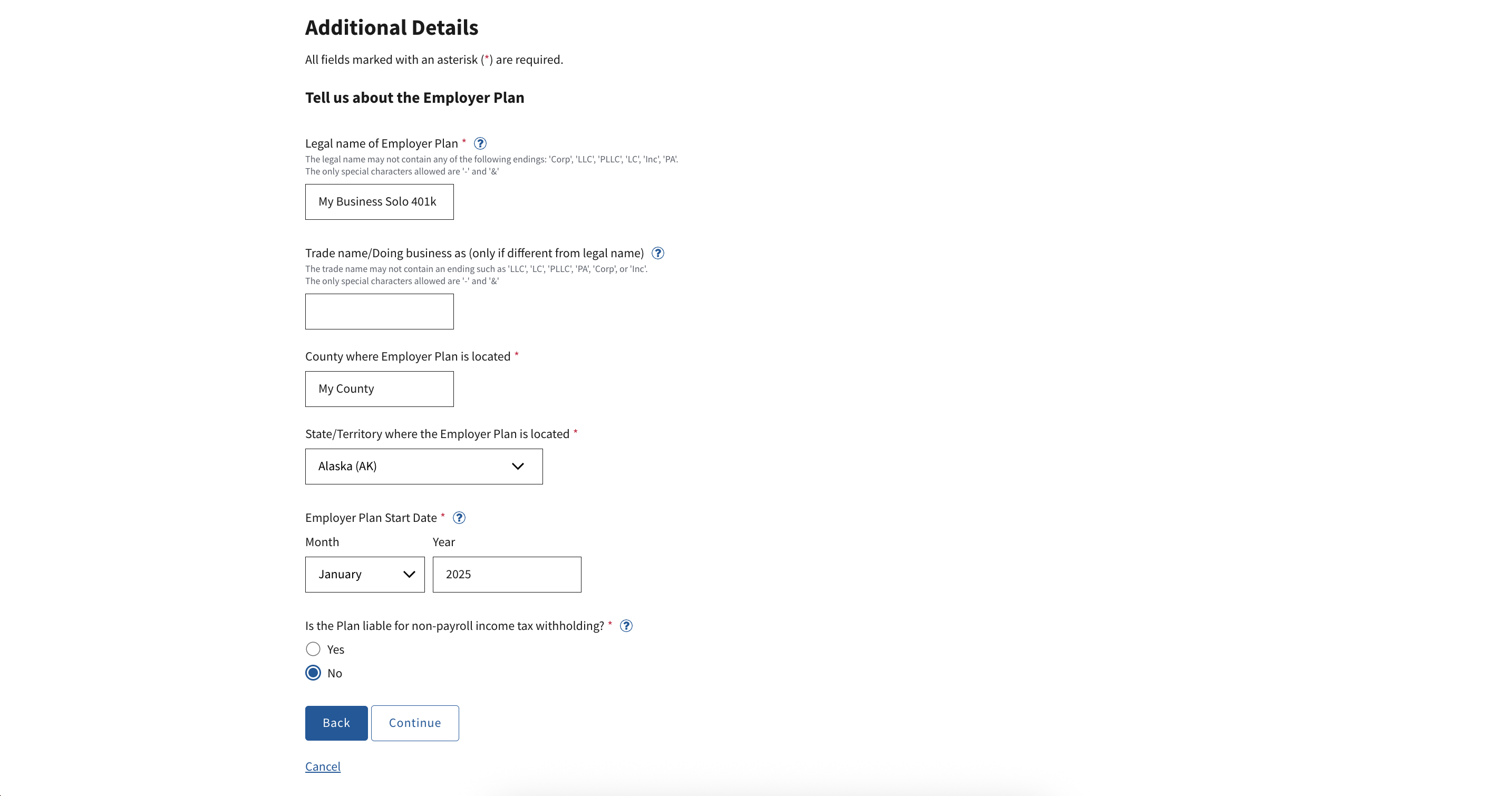
For "Tell us about the Employer Plan", enter the exact legal name of your Carry Solo 401k plan, where it is located, and the start date.
You can find this information by logging in at app.carry.com, clicking your initials in the top right > click Settings > click Accounts.
For "Is the Plan liable for non-payroll income tax withholding?" choose No if there are no current or past taxable distributions from your Solo 401k plan (e.g., if it is a new plan, choose "No"). Your plan may still be required to withhold in the future, for instance on taxable distributions.
Choose to "Receive letter digitally in the next step", or you can choose to receive by mail but it can take up to 4 weeks.
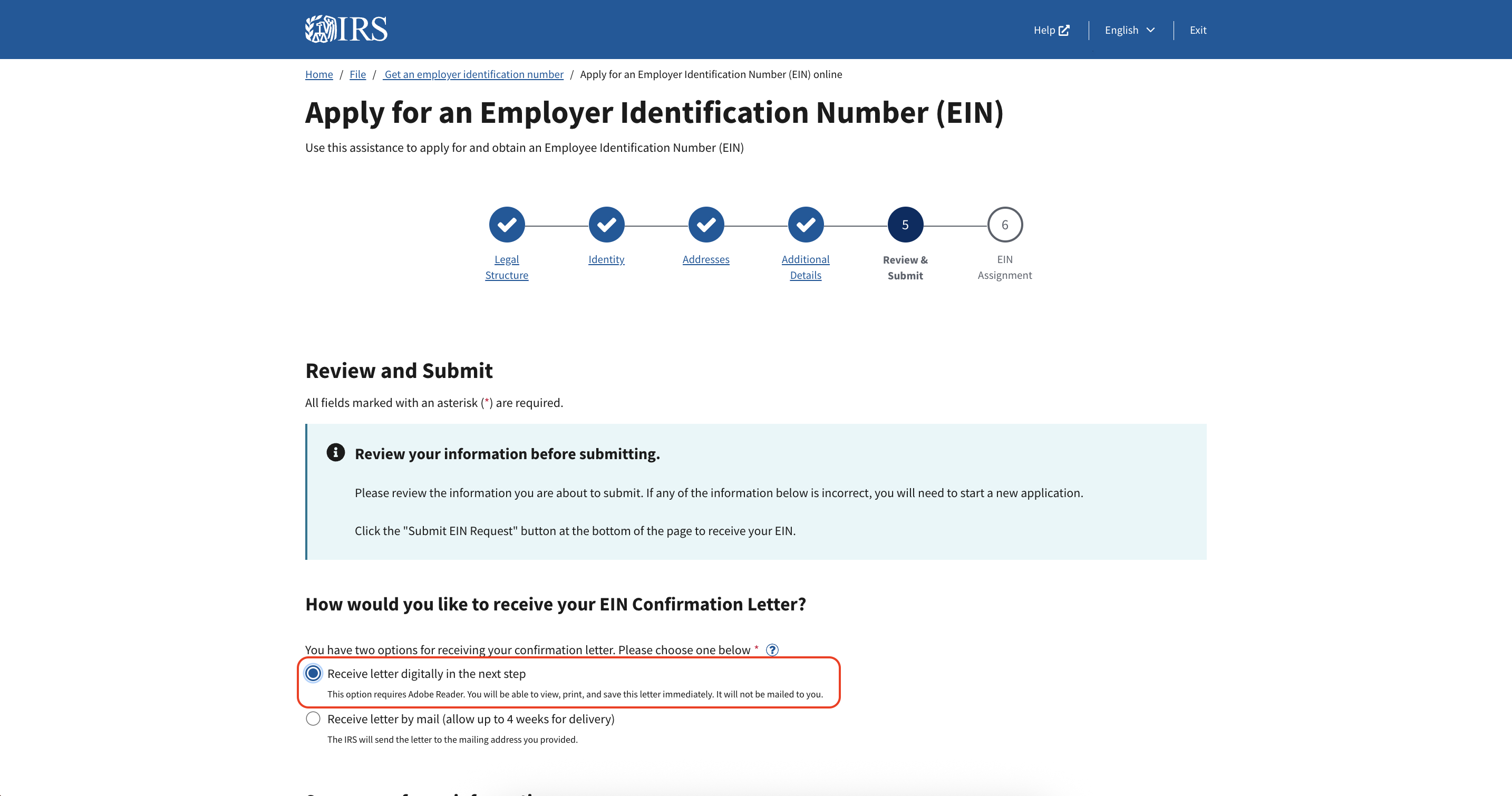
Review the information and click Submit to submit the form.
If an EIN is granted successfully, download and save the CP-575 letter (PDF) immediately. You will NOT be able to get this again online, so you must save it in order to retain the necessary record.
Send this letter via email to our team at plan.support@carry.com, and we will update our records with your EIN and finalize your plan setup.
Via Phone, Fax, or Mail
If you are unable to obtain an EIN electronically, and have double checked your information, you can also apply for an EIN from the IRS via phone, fax, or mail by following the instructions here: https://www.irs.gov/businesses/employer-identification-number#ways. We recommend consulting with a tax professional if you have any questions.